1. Structural beams
The beams affect the throw patterns of the air terminal devices. Especially in renovation projects, the location of the terminals cannot always be influenced. Considering the effects of the structures is really important in order to avoid the feeling of draught. By designing throw patterns while taking into consideration the obstacles in the room, one can effortlessly determine whether the correct terminal has been selected for the space and whether its location is suitable.
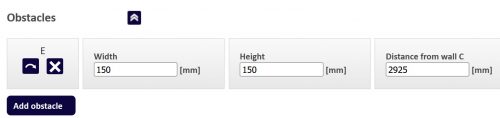
In throw pattern modeling view, Vent.X has an “Obstacles” section. “Add Obstacle” button creates a bar. The width, height, and position of the bar can then be changed. If necessary, several bars can be added using the “Add Obstacle” button.
2. Terminal positioning buttons
To speed up the design work, the selection program has buttons for positioning the terminals. The program places the terminals in the room symmetrically in relation to each other and to the space. This gives the designer terminal locations – fast!
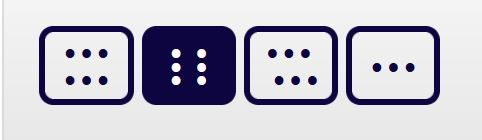
When the room contains more than one device of the same kind, radio buttons appear at the bottom of “Diffuser” tab. You can select different device layouts from the buttons as needed.
3. Optimize air flow
Sometimes dimensioning airflows at desired temperatures and for a specific size of a room can require complex calculations. Airflow optimizing becomes handy when the throw pattern is required to come down to the floor-level or at the edge of the occupied zone.
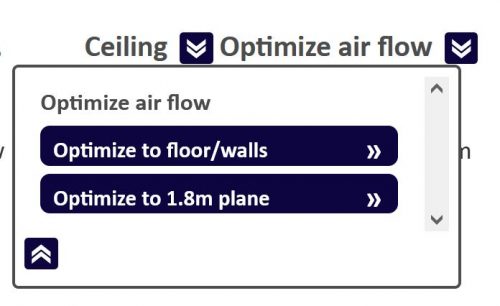
From the top of the simulation screen, the airflow optimization can be selected either to the floor, wall, or 1.8 m level, which marks the occupied zone. Parameters such as room dimensions, supply air and room temperatures, as well as the location of the terminals can be changed. The effects of changes to the throw pattern can be quickly assessed on the program.